Private, local-first assistant for macOS

Your work, remembered. On your Mac.

Hanyx remembers the people, projects and messages in your work, tells you what needs you first, and drafts the reply. Everything stays on your Mac.
Almost there. Check your inbox.Confirm your email and you're on the list.

Early access, one email at launch. No spam. Privacy policy

Adding you…

Please try again.

macOS · coming soon Local-first Your own API key
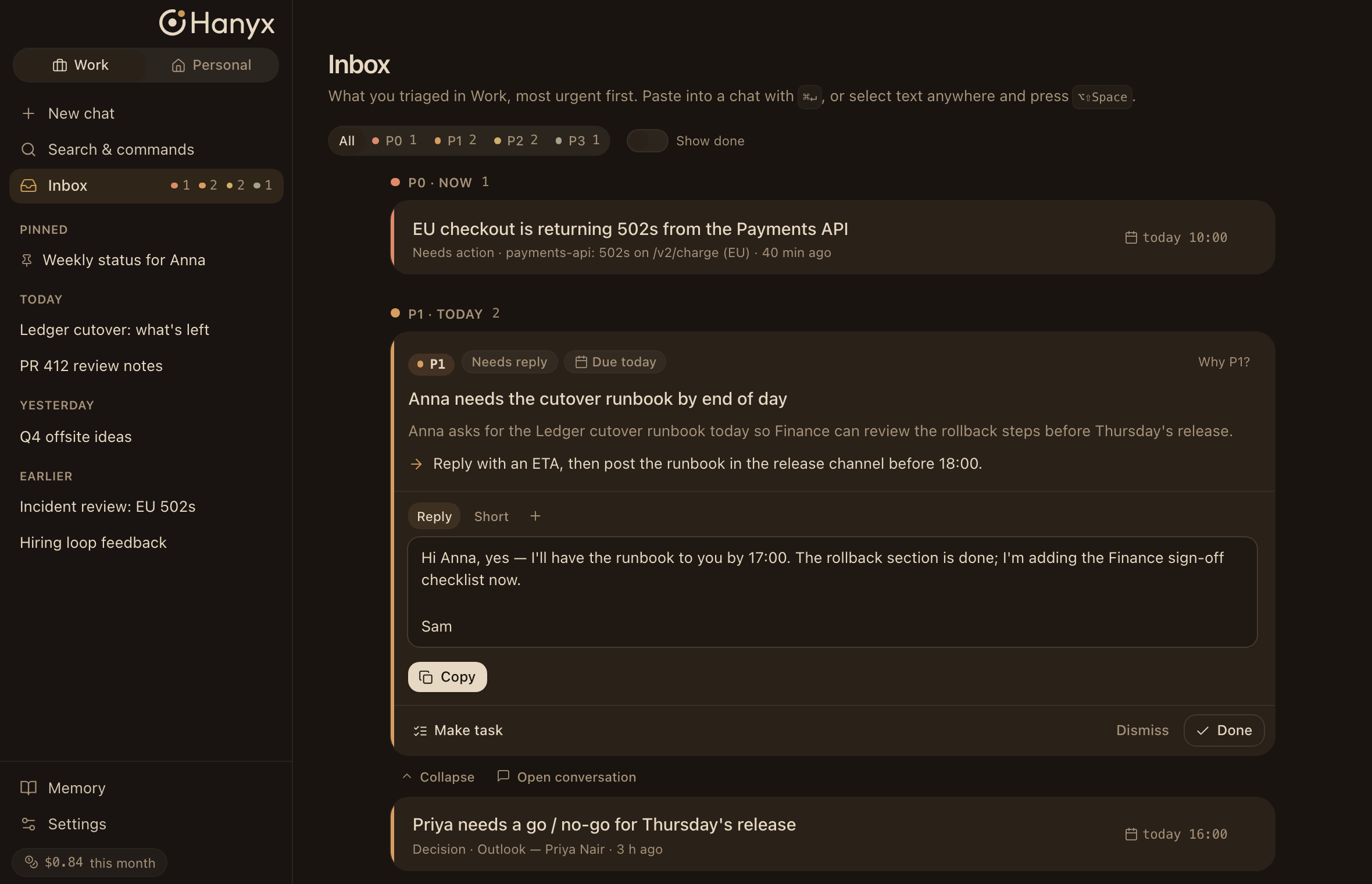
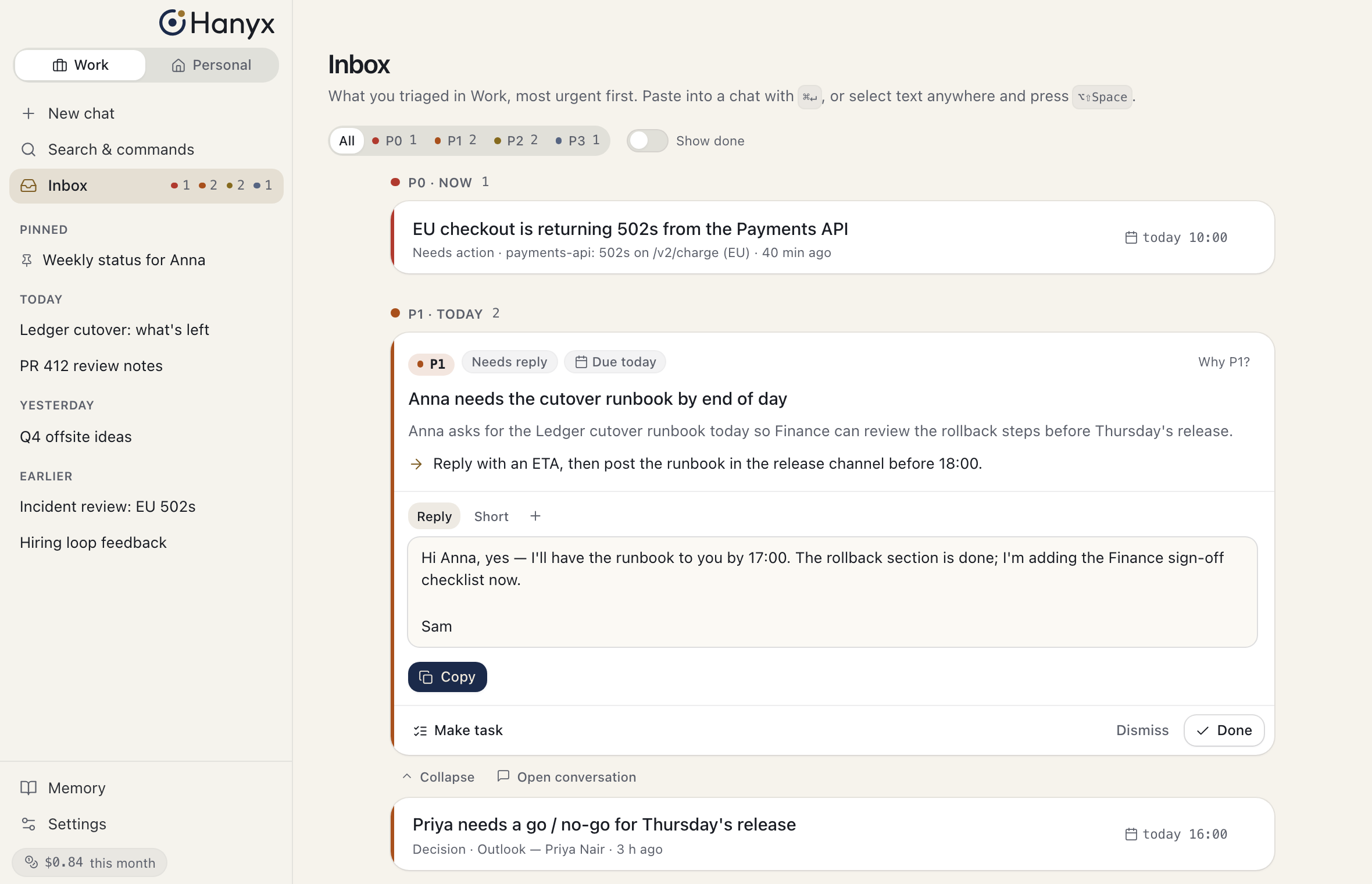
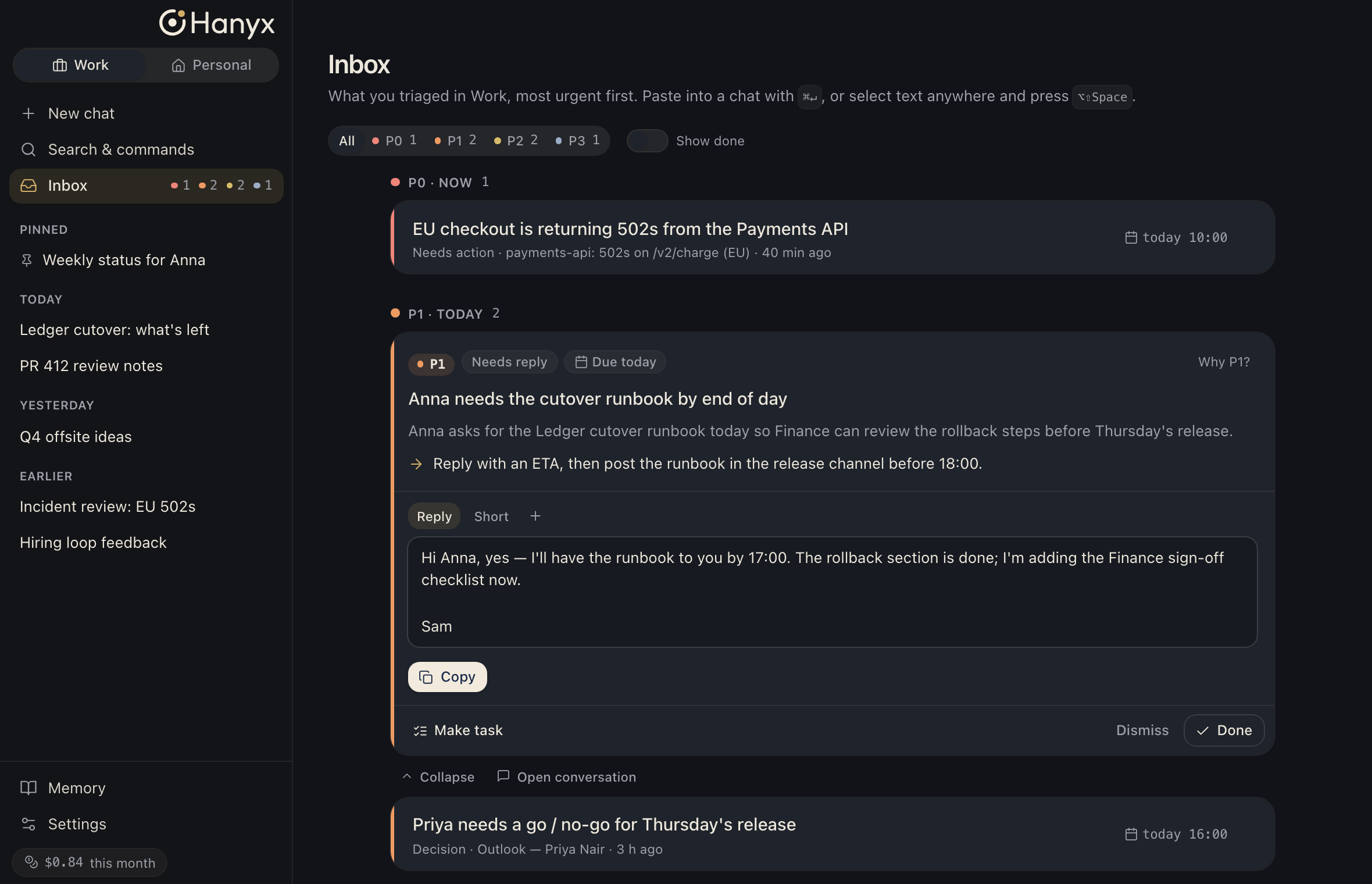
Hanyx Inbox: a message from Anna triaged as P1, with the reasons, the next step and a drafted reply Hanyx Inbox: a message from Anna triaged as P1, with the reasons, the next step and a drafted reply Hanyx Inbox: a message from Anna triaged as P1, with the reasons, the next step and a drafted reply
How it works

Share it. Hanyx sorts it. It remembers.

  1. 01

    Share anything

    Paste a message, forward an email, or drop in a Jira or GitHub link. Use the share menu or a global hotkey.

    MessageEmailJiraGitHub
  2. 02

    Hanyx sorts it out

    It sets a priority from P0 to P3, tells you why, and drafts a reply that sounds like you.

    P0P1P2P3
  3. 03

    It remembers

    People, projects and decisions go into memory, so tomorrow starts where today left off.

Features

Quiet help for a busy work life.

Memory that knows your work

Who's who, what each project needs, and what you've already decided. Hanyx keeps it all in one place.

Triage with reasons

Every item gets a priority from P0 to P3, the reasons behind it, and a draft you can send or edit.

Connectors

GitHub and Jira, so issues and pull requests come with context.

Coming: Teams, Outlook, Gmail

Capture from anywhere

A global hotkey hands Hanyx a thought, a link or a selection, without leaving what you're doing.

Work and Personal spaces

Two separate memories that never mix. Switch with one click.

Light, Dark and Night

A warm, low-blue Night theme for late sessions, alongside Light and Dark.

Privacy

You're at the center. Your data stays there.

Hanyx runs on your Mac. Nothing leaves it unless you decide it should.

  • Stays on your MacMemory, history and settings are stored locally.
  • Your own API keyRequests go straight from your Mac to the model provider you choose. No Hanyx server in between.
  • Optional encrypted syncSync between your Macs with end-to-end encryption, or leave it off.
  • No training on your dataWe never see your data, so we can't train on it.
  • You control every memorySee, edit or delete anything Hanyx remembers. Undo is one click away.
You on your Mac Hanyx near, never in the center Model provider · only what you send, with your key
Memory

Memory you can read.

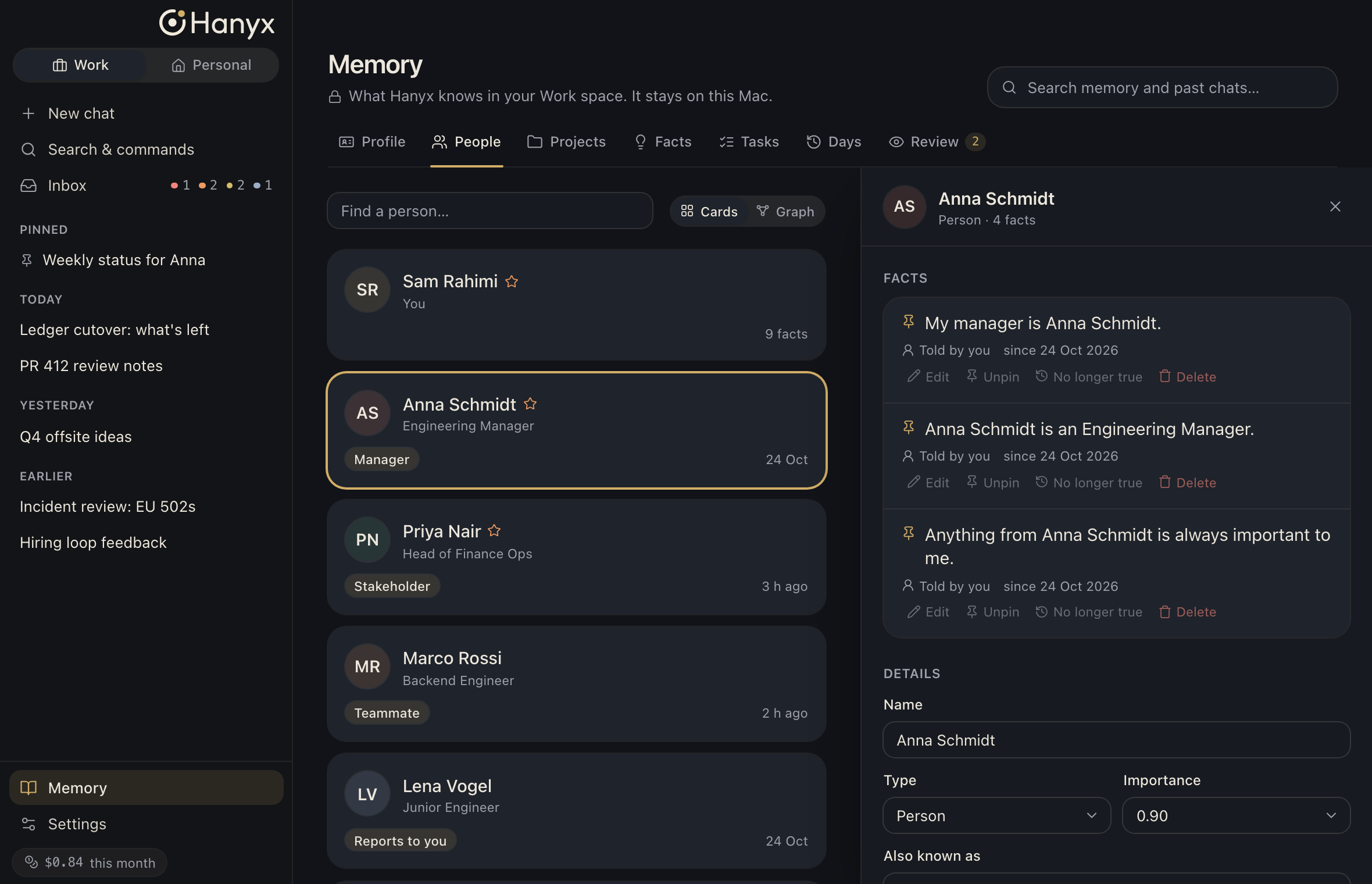
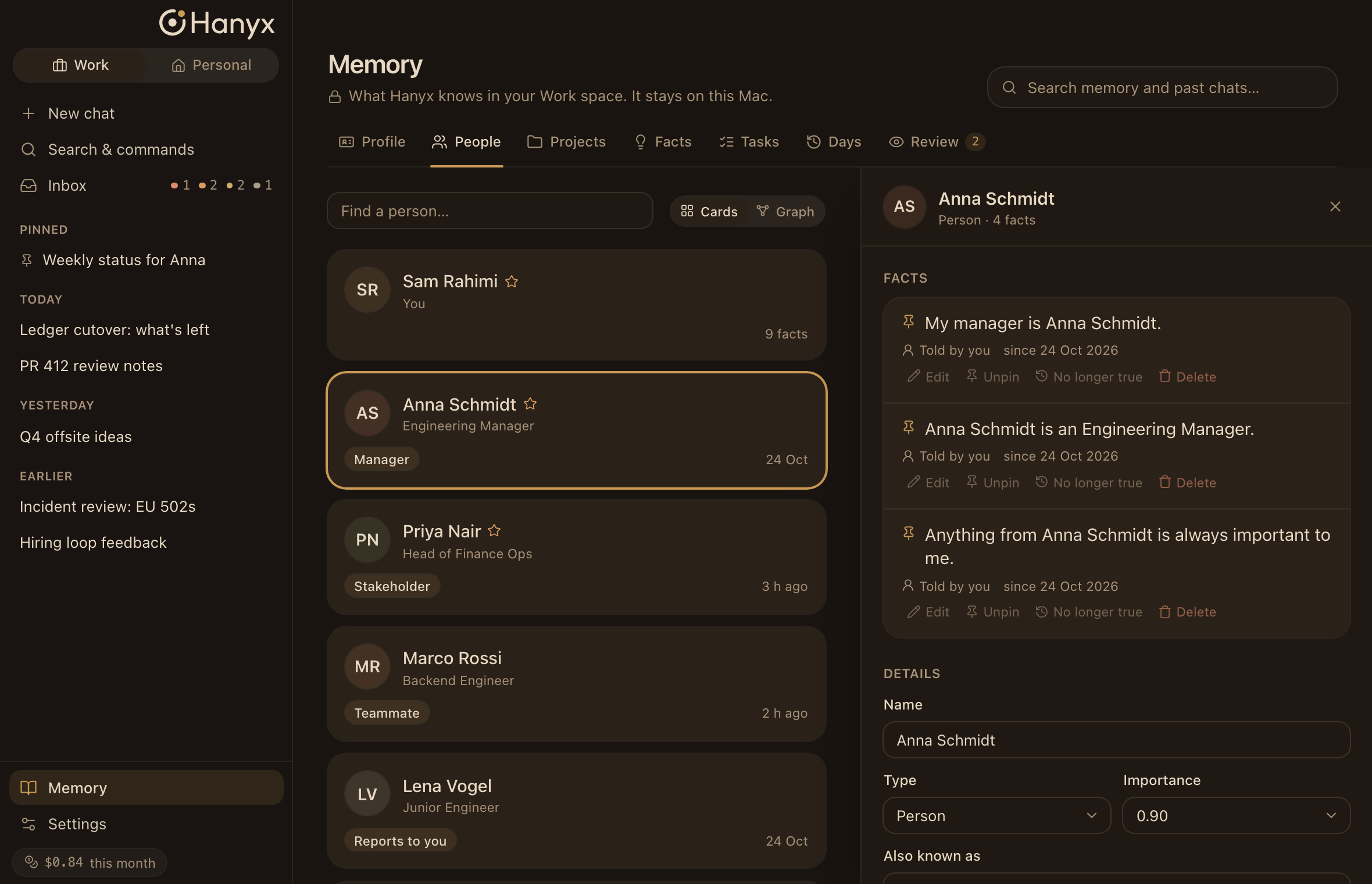
Hanyx shows you exactly what it knows. Every fact has a source, and every change can be undone.
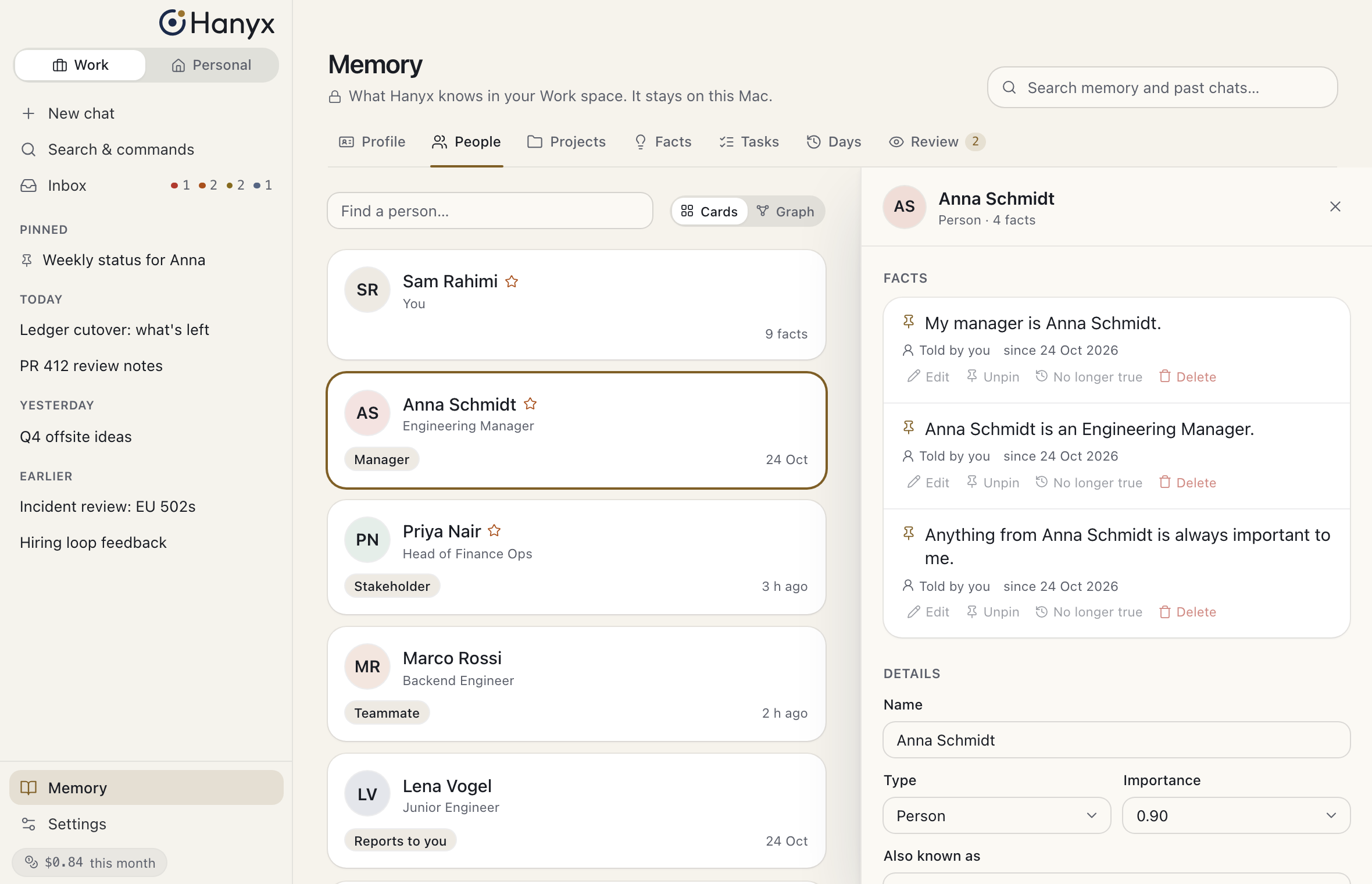
Hanyx Memory screen: the people Hanyx knows, with the facts about Anna Schmidt and where each one came from Hanyx Memory screen: the people Hanyx knows, with the facts about Anna Schmidt and where each one came from Hanyx Memory screen: the people Hanyx knows, with the facts about Anna Schmidt and where each one came from
FAQ

Questions, answered.

Is my data private?

Yes. Hanyx stores everything on your Mac. Requests go directly to the model provider you choose, using your own key. We don't run a server that sees your data.

Which AI does it use?

Your choice. You add an API key from a supported model provider, and Hanyx talks to them directly. We'll publish the list of supported providers at launch.

Is it Mac only?

Yes. Hanyx is built for macOS, with the menu bar, the share menu and native shortcuts.

What will it cost?

Pricing isn't final yet. Everyone on the waitlist hears it first, before launch.

When does it launch?

We're in private testing now. Waitlist members get access in small batches, and we'll email you when it's your turn.

Can I delete my data?

Any time. You can delete a single memory, a whole space, or everything. Because it's stored on your Mac, deleting it there removes it. If you use sync, the deletion syncs too.

Let Hanyx remember, so you don't have to.

Early access goes out in small batches.

Almost there. Check your inbox.Confirm your email and you're on the list.

Early access, one email at launch. No spam. Privacy policy

Adding you…

Please try again.